How to Create the Hotel Lobby Viral Video with AI
A step-by-step guide to making a viral Hotel Lobby-style rap duet video with AI — two photos, one theme, and 90 seconds to a shareable vertical clip.
 Rap Song Editorial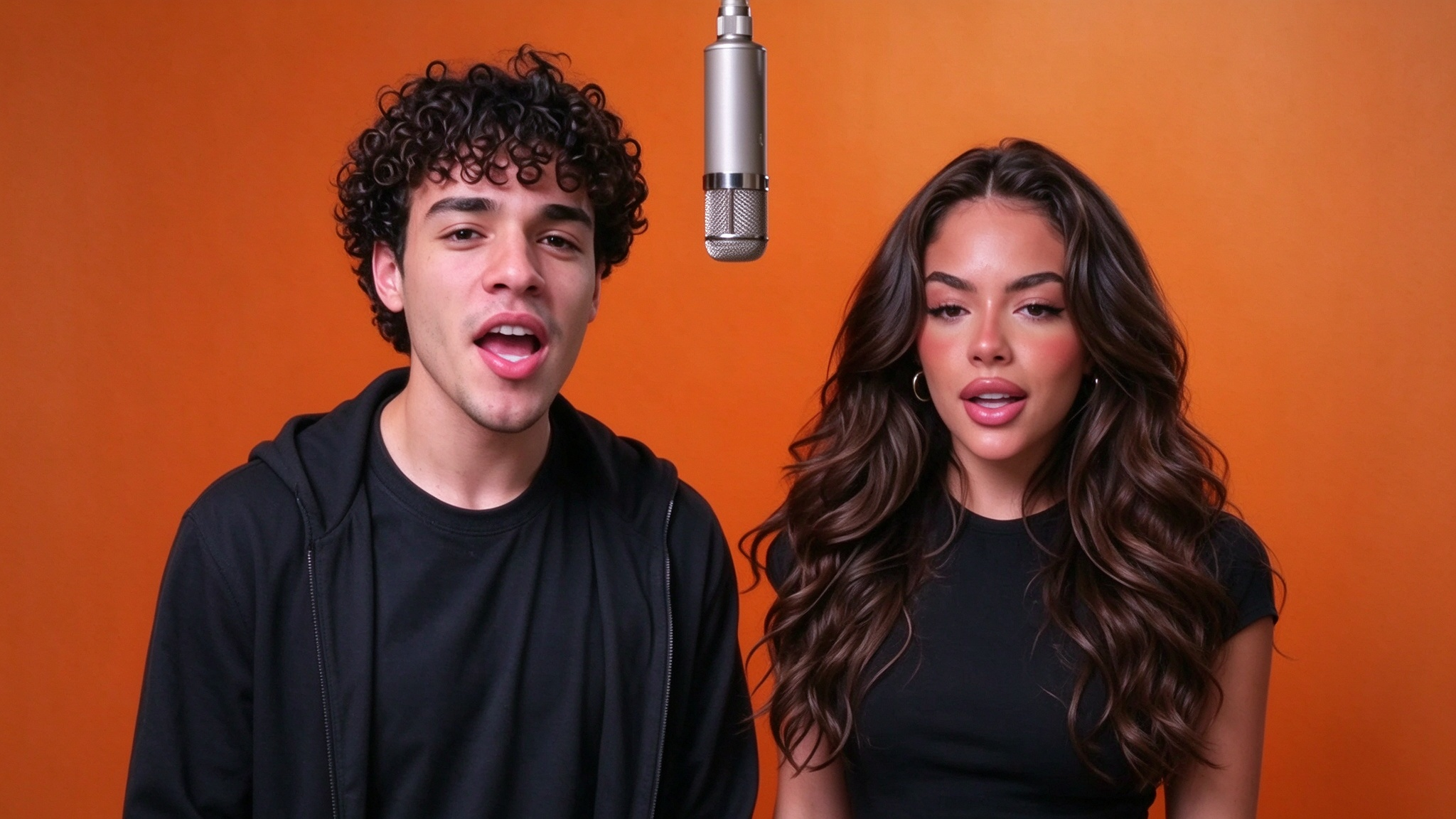
The Hotel Lobby video format took short-form video by storm: two performers face-to-face in a glowing amber booth, trading punchlines over a hard 808, wrapped in a vertical 9:16 clip built to scroll-stop. What used to need a studio, a director, a beat session, and a weekend of editing now takes two photos, one theme, and about 90 seconds — all powered by the Rap Song AI Hotel Lobby Generator.
In this guide we break down exactly how to create a Hotel Lobby viral video with AI, from picking a scroll-stopping concept to posting the final clip with the right hashtags.
Why the Hotel Lobby format goes viral
Before we open the tool, it helps to understand why this format works so well on TikTok, Reels, and Shorts.
- Instant visual hook. The warm orange booth, the chandelier, the two-mic setup — it reads as "premium music video" in the first 0.3 seconds, which is all the algorithm gives you.
- Two voices = two hooks. A duet structure means the viewer picks a side. They rewatch to catch the second performer's bars. Rewatches = signal.
- Lyrics are shareable. A punchline that lands is a screenshot. A screenshot is a share. Shares are the cheat code for the For-You page.
- Low production friction. Anyone can make one. When the barrier is "upload two photos," the format spreads.
The AI Hotel Lobby Generator handles the hard parts — lyrics, beat, vocals, booth compositing, lip-sync — so you can focus on the concept, which is the only part that actually decides whether a clip goes viral.
Step 1 — Find a scroll-stopping concept
The single biggest predictor of virality is the Track concept. Everything else (booth style, beat, lyrics) is execution. A great concept with mid execution beats a mid concept with great execution every time.
What makes a concept strong? It has at least one of these:
- Relatable tension. "Two siblings arguing about who mom loves more" — everyone has an opinion.
- Inside-joke specificity. Naming a real, tiny, embarrassing detail ("the time you cried at Up") makes the clip feel private, not templated.
- A twist or reversal. "Best man roast — but the groom wrote the bars."
- An occasion. Birthday, graduation, promotion, launch, anniversary. Occasions come with built-in audiences who will share.
Open the Rap Song homepage and type your concept into the Track concept box on the left control card. Bad: "birthday song." Good: "brother turning 30, still owes me $40 from 2019, and he thinks he can cook."
Step 2 — Upload two performer photos
Drop the two photos that will appear as your artists inside the orange booth. These are the faces the AI will animate and lip-sync.
For the cleanest results with the Hotel Lobby AI filter:
- Front-facing, chest-up portrait. Eyes open, mouth visible. The face-tracker needs landmarks.
- Even, soft lighting. Window light or a ring light. Avoid backlighting — the booth is already warm; a backlit face goes muddy.
- One person per photo. No group shots. The booth has two mics — give each artist their own frame.
- A little headroom. Leave margin around the head. The compositor crops to the booth frame automatically.
Click Upload photo, pick performer 1, then performer 2. Thumbnails drop into the preview instantly. If a face is too close to the edge, re-crop the source and re-upload.
Only upload photos you own or have permission to use. Generated output is covered for commercial use — the input is your responsibility.
Step 3 — Choose a booth style
The right-side preview card shows Booth style thumbnails. Each style ships with its own lighting, tempo, and 808 curve:
- Marble Lobby — classic warm amber, 138 BPM, bright piano + 808. The signature Hotel Lobby look. Best for flex tracks and celebrations.
- Neon Duo — magenta-cyan rim light, 146 BPM, syncopated hats. Best for roasts, diss tracks, high-energy battles.
- Champagne Toast — soft gold, 128 BPM, warm keys. Best for anniversaries, team wins, sentimental duets.
Click any thumbnail and the preview swaps instantly. You can change it again before the final render — nothing is committed until you hit Generate video.
Step 4 — (Optional) Tune the lyrics
If you want the AI to hit a specific joke, nickname, or punchline, append it to the Track concept. Example:
"crew celebrating a sold-out hometown show — shout out the stage dive from Marco, the confetti cannon, and the after-party at 3am on the tour bus."
The AI writer inside the Hotel Lobby AI pipeline weaves those details into verse + hook + the back-and-forth between the two performers. The more specific the detail, the more original the bars feel.
Step 5 — Generate and review
Click Generate video. The render takes about 90 seconds. Here's what happens under the hood of the AI Hotel Lobby Generator in that window:
- Lyrics model writes verse + hook with two alternating voices
- Beat engine renders the full instrumental + stem splits
- TTS + pitch model performs each verse in character for both performers
- Booth compositor places both faces in the orange booth, lights the chandelier, and animates trading bars with lip-synced cuts on every bar
- Final encoder exports a vertical 9:16 MP4 ready for TikTok / Reels / Shorts
When the preview comes back, play it once. If the lyrics need another pass, tweak the Track concept and generate again — every render is fresh. If the booth style needs to change, swap it on the same canvas.
Step 6 — Post for maximum reach
Once you're happy, hit Download. A few posting tips that compound reach:
- Caption first line = the concept. "He still owes me $40 from 2019" makes people stop scrolling to hear the bars.
- Hashtags.
#HotelLobby,#AIHotelLobbyFilter,#RapSong, and one niche tag tied to your concept (#birthdayroast,#founderlife). - Bio link. Drop a link to the Rap Song homepage so viewers can make their own — UGC is the flywheel.
- First 3 seconds. The booth visual does most of the work, but if your concept has a twist, put a 1-line text overlay on frame 1.
3 viral Hotel Lobby concepts to try
Need a starting point? These are the angles we see blow up most often:
1. The Duo Origin Story
For friends, partners, co-founders. Describe where you started vs. where you are now. The AI writer loves a "Day One" narrative.
2. The Occasion Roast
Birthday, bachelor / bachelorette, promotion, graduation. Name 3 real, tiny, embarrassing inside jokes — the AI stacks them into punchlines and the booth makes them feel like a performance.
3. The Brand / Product Launch Anthem
If you're dropping a product or collection, frame the concept around the feature customers actually care about. The orange booth turns a boring announcement into a shareable clip.
Wrapping up
Creating a Hotel Lobby viral video with AI is no longer a studio problem — it's a concept problem. Two photos, one specific theme, pick a booth style, generate, download, post. The Rap Song AI Hotel Lobby Generator handles the entire production pipeline in about 90 seconds.
Ready to make yours? Head to the Rap Song homepage now and render your first booth clip. Bookmark the Hotel Lobby blog for more deep-dives into Hotel Lobby AI filter tricks, concept playbooks, and booth-style breakdowns.